GUIDES AND TEMPLATES
Each firm's process, close at hand.
Firm guides, English and Spanish templates, a legal glossary, and a knowledge base give professionals a reference for the work.

MIVIO · BY TRILOGY
A place to see the work behind the case: what was requested, what arrived, and what still needs attention.
WATCH A REAL WORKFLOW
A follow-up is done. What happens next? See a Trilogy professional log it with MiVio, review the update, and confirm the next date. Watch the 34-second walkthrough or choose a step below.
ACTUAL INTERFACE · DEMO DATA
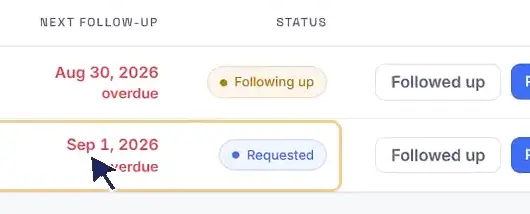
ACTUAL INTERFACE · DEMO DATA
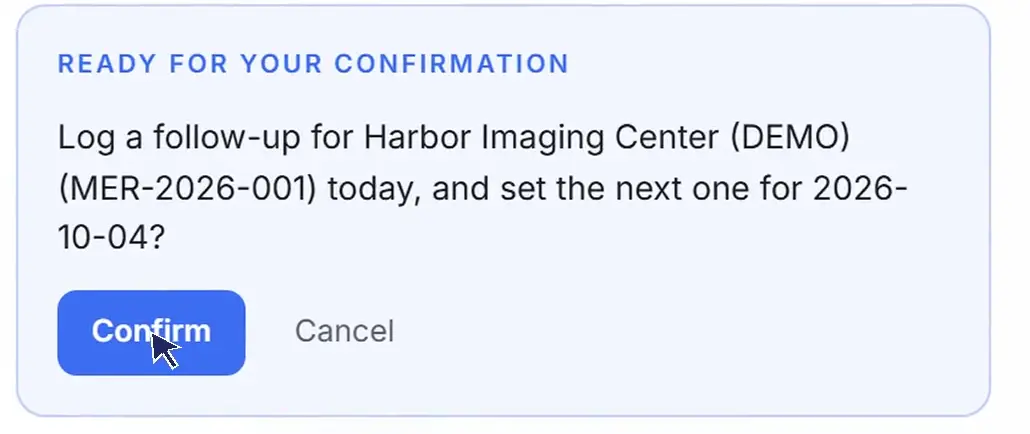
ACTUAL INTERFACE · DEMO DATA

This example shows the legal workflow. MiVio is included with every placement and is not sold separately.
FOLLOW THE WORK
A provider may send one before the other. MiVio tracks the requests separately, including documents that were never requested.
A reminder every seven days tells the professional when to check on a request. The reminder does not send a message to the provider automatically.
The documentation view shows missing items and progress. The management timeline gives the attorney a record to review. It does not decide legal strategy or whether a case is legally ready.
See the records workflowKNOWLEDGE + HUMAN REVIEW
GUIDES AND TEMPLATES
Firm guides, English and Spanish templates, a legal glossary, and a knowledge base give professionals a reference for the work.
THE ASSISTANT
The assistant can propose and write. A person reviews and approves the work. Nothing is sent automatically, and legal decisions remain with the attorney.
DOCUMENTS AND PRIVACY
Medical records and bills remain in the firm's systems. MiVio records what exists, who it came from, and where it is kept.
Client identity is not stored by default. A firm can choose to enable an optional encrypted vault. Your team can discuss its requirements with Trilogy before sharing sensitive information.
Talk about your workflowFOR EMPLOYERS
You don't need a finished job description. A few words about the work are enough to start the conversation.
Request a callPARA PROFESIONALES
Conoce cómo es trabajar con empresas de Estados Unidos desde Latinoamérica. Tu inglés y tu español acompañan tu talento.
Conoce cómo trabajamosUna mirada a Trilogy en Instagram ↗